
Accruals, adjustments and corrections, posted in one screen
Journal entries
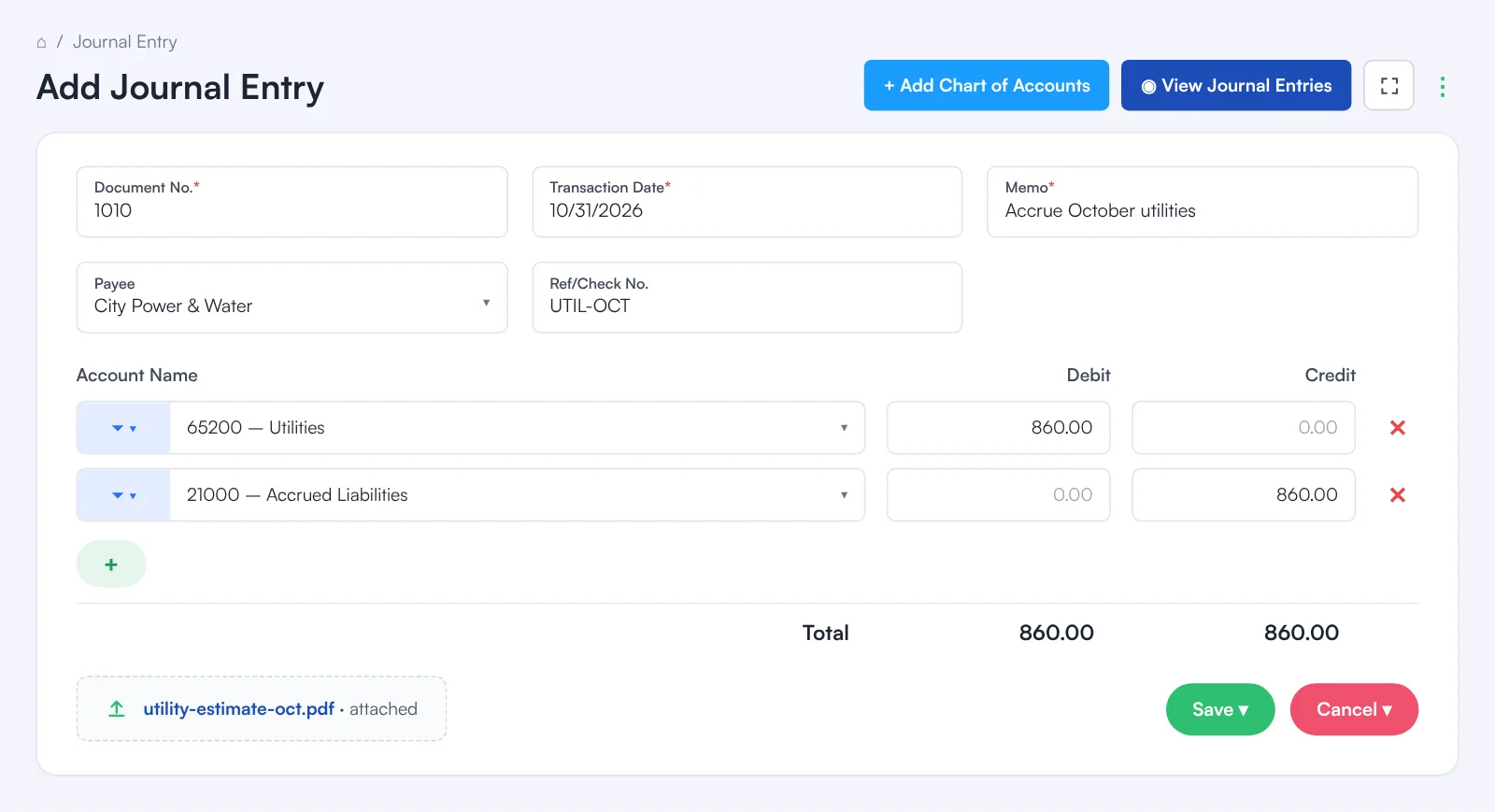
Add Journal Entry is where you post anything that isn’t an invoice, bill or payment: accruals, depreciation adjustments, reclassifications, owner contributions and corrections. Each entry has a Document No., Transaction Date and Memo, an optional Payee and Ref/Check No., and as many account lines as you need, each with a debit or a credit. The totals at the bottom show whether debits equal credits before you save, and you can attach the document behind the entry. View Journal Entries lists what you’ve posted so you can open and edit an entry, and entries can also be imported in bulk, including bank journal entries.
What it posts
Debits on one side, credits on the other
A journal entry posts exactly the lines you enter. Here, October’s utilities are accrued before the bill arrives.
- Any number of lines, each a debit or a credit
- The Debit and Credit totals must be equal
- The + button adds a line for a split entry
- Click to upload a file keeps the backup with the entry
| Account | Debit | Credit |
|---|---|---|
| Utilities | 860.00 | |
| Accrued Liabilities | 860.00 | |
| Total | 860.00 | 860.00 |
| Account | Debit | Credit |
|---|---|---|
| Equipment | 1,250.00 | |
| Office Supplies | 1,250.00 | |
| Total | 1,250.00 | 1,250.00 |
Each line also shows in the register and ledger of the account it touches.
Example amounts.
View Journal Entries
Every entry you’ve posted, ready to open or edit
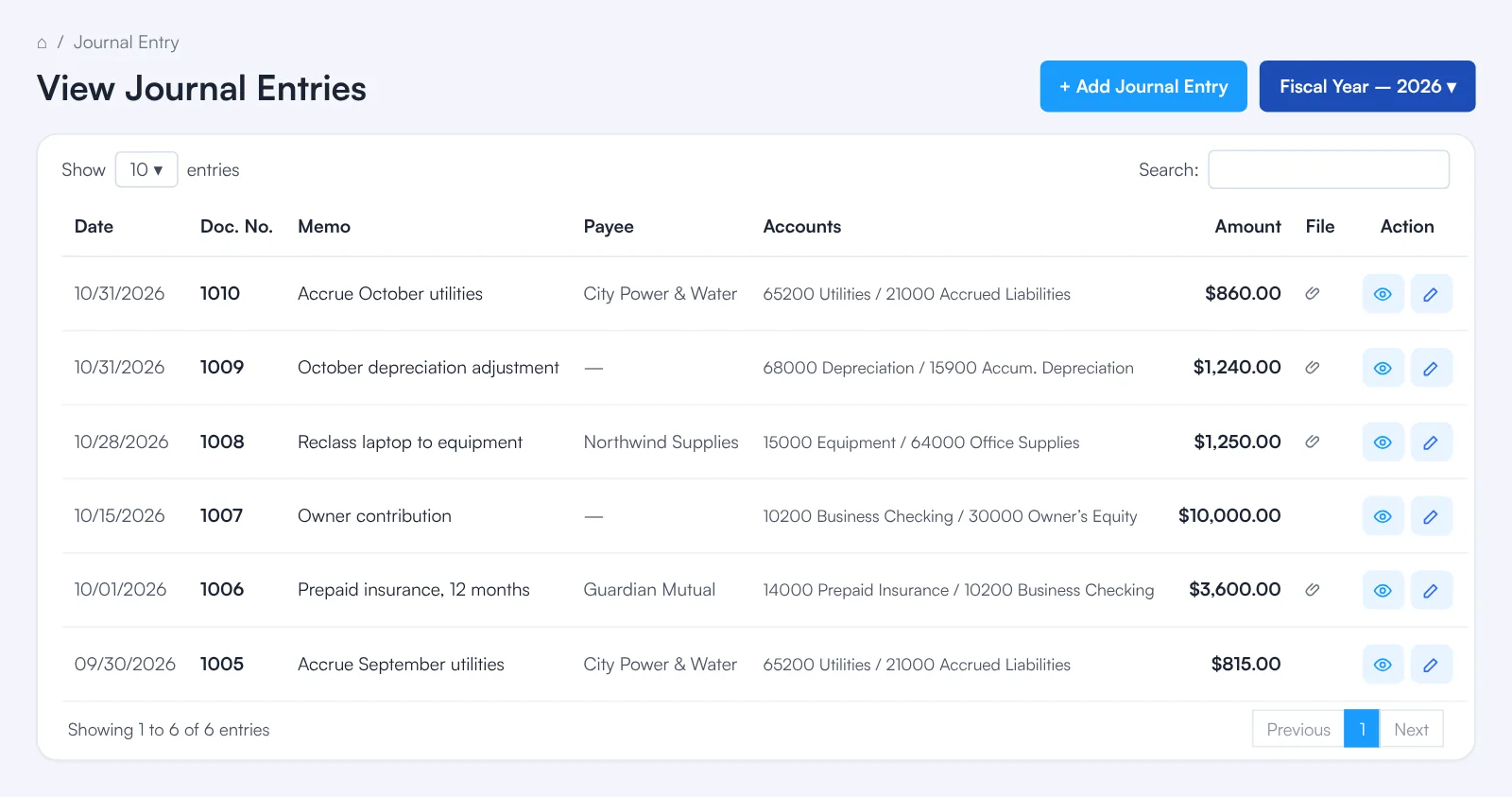
View Journal Entries lists your journal entries so you can find one, check it and correct it.
- Date, document number, memo and payee on every row
- Open an entry to see its lines and attachment
- Edit an entry and save the change
- + Add Journal Entry starts a new one
Import
Many entries at once
When the entries already live in a spreadsheet, import them instead of typing them.
- Import Journal EntriesBring in a batch of journal entries from a file in one go.
- Import Bank Journal EntriesBring in journal entries for a bank account from a file.
Journal entries
More you can do with journal entries
The basics, every time
Document No., Transaction Date and Memo are required on every entry, so each one can be found and explained later.
Payee and reference
Name the payee and add a Ref/Check No. when the entry relates to someone you pay or a specific document.
Find the account fast
The filter button beside each account box narrows the list, so the right account is a few clicks away even in a long chart of accounts.
A new account without leaving
+ Add Chart of Accounts at the top adds a missing account while you are writing the entry.
How it works
Post a journal entry
Open Add Journal Entry
Go to Journal › Add Journal Entry. The Document No. is filled in for you.
Fill in the header
Set the Transaction Date and type a Memo; add a Payee and Ref/Check No. if they apply.
Add the lines
Pick an account on each line and enter its debit or credit. Click + for more lines.
Check the totals
The Debit and Credit totals at the bottom must match.
Attach and save
Attach the supporting document if you have one, then click Save.
FAQ
Journal entries: common questions
When should I use a journal entry?
For anything that isn’t an invoice, bill or payment: accruals, depreciation adjustments, reclassifications between accounts, owner contributions and corrections.
Do debits have to equal credits?
Yes. The totals at the bottom of the entry show both, and an entry posts only when they are equal.
Which fields are required?
Document No., Transaction Date and Memo. Payee and Ref/Check No. are optional.
Can I edit a journal entry after saving it?
Yes. Open it from View Journal Entries, make the change and save.
Can I import journal entries?
Yes. Import Journal Entries brings many entries in at once, and Import Bank Journal Entries brings in bank journal entries.
Where do journal entries show up?
In the general ledger, the Journal report and the register of every account the entry touches, and in your financial statements.
Related
Works well with
Register
Every transaction in an account, in date order, with a running balance.
Read moreFinancial reports
Balance sheet, P&L, cash flow, trial balance, ledgers and drill-down.
Read moreMonth-end close
A checklist of what is pending, then locked periods.
Read moreBanks to Books
AI recommends how to book every bank and card transaction and shows why.
Read moreMake this the last month you do bookkeeping by hand.
Start free. Connect a bank. Watch the agents go to work.